China Factory-Direct Labeling and Packaging Solutions for Small & Medium Businesses in Food, Personal Care and More
How to Choose the Right Printing and Coding Solution for Your Labeling Machine
Looking for a labeling machine with date coding, barcode or QR code printing? Learn the differences between TTO, TIJ inkjet, Zebra thermal transfer and laser marking systems, and choose the right solution for your production line.
5/8/2026
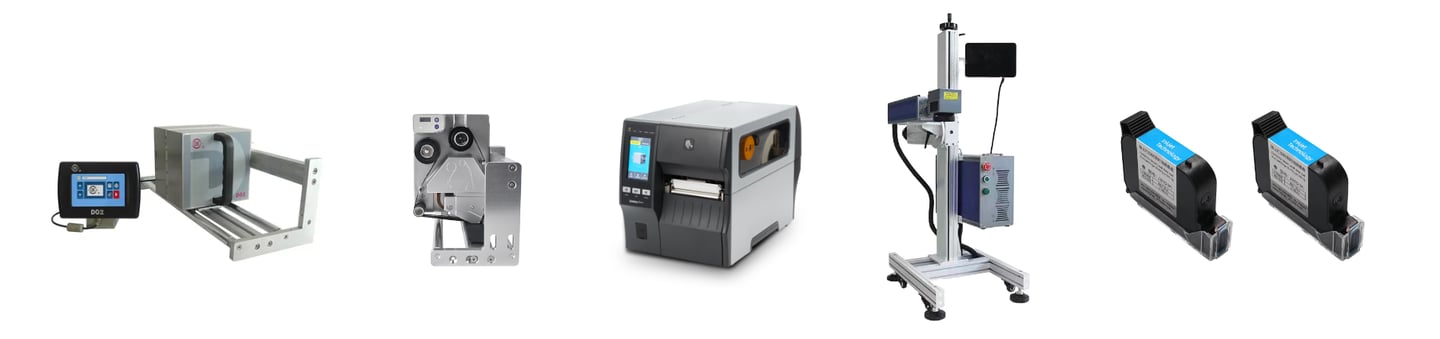
Printing production dates, batch numbers, barcodes, QR codes, or variable data is a common requirement in modern production lines.
The right solution depends on your product material, packaging type, production speed, print size, and budget.
This guide introduces four common technologies:
TTO (Thermal Transfer Overprinting)
Zebra Thermal Transfer Printing
TIJ Inkjet Printing
Laser Marking
and explains how to select the most suitable option for your application.
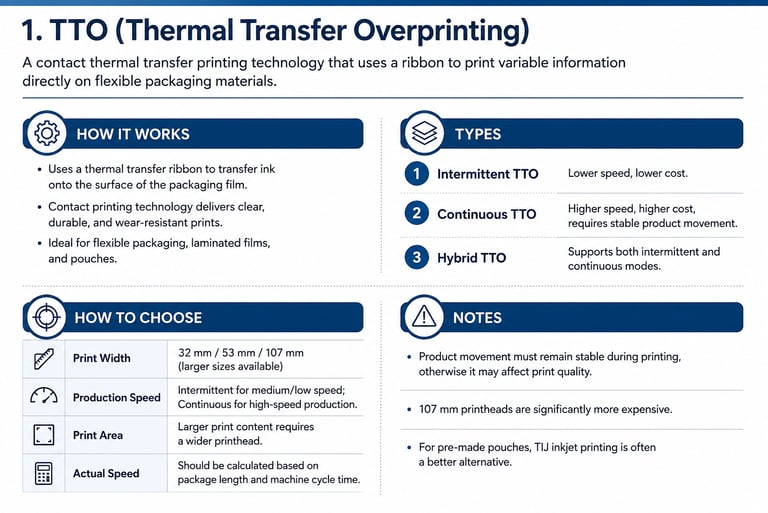
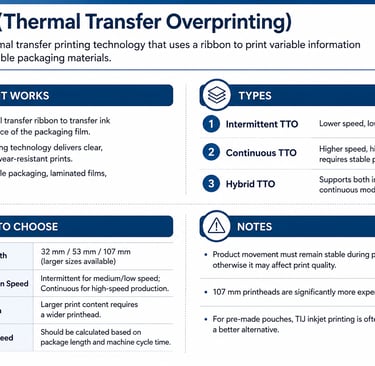
Section 1: TTO (Thermal Transfer Overprinting)
How It Works
Uses a thermal transfer ribbon to print on flexible packaging films.
Contact printing technology with high print quality and durability.
Ideal for flexible packaging, laminated films, and pouches.
Types
Intermittent TTO – Lower speed, lower cost.
Continuous TTO – Higher speed, higher cost, requires stable product movement.
Hybrid TTO – Supports both intermittent and continuous modes.
How to Choose
Print Width: 32 mm / 53 mm / 107 mm (larger sizes available)
Production Speed: Intermittent for medium/low speed; Continuous for high-speed production.
Print Area: Larger print content requires a wider printhead.
Actual Speed: Should be calculated based on package length and machine cycle time.
Notes
Product movement must remain stable during printing.
107 mm printheads are significantly more expensive.
For pre-made pouches, TIJ inkjet printing is often a better alternative.
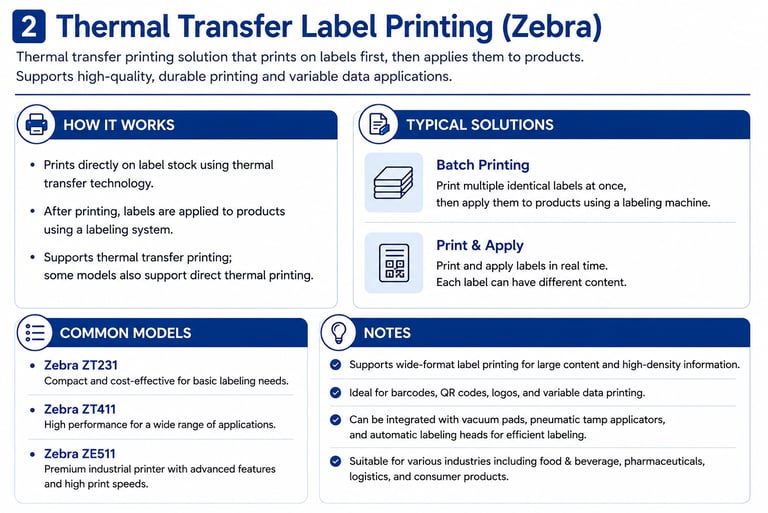
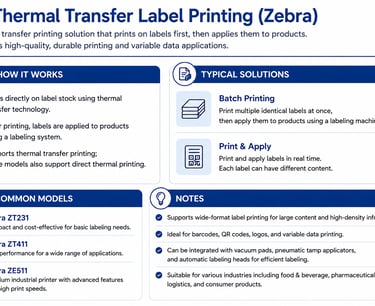
Section 2: Thermal Transfer Label Printing
How It Works
Prints directly onto labels before they are applied to the product.
Supports thermal transfer printing; some models also support direct thermal printing.
Typical Applications
Batch Printing: Print multiple identical labels, then apply them using a labeling machine.
Print & Apply: Print and apply labels in real time with variable data.
Common Models
Zebra ZT231
Zebra ZT411
Zebra ZE511
Notes
Supports wide-format label printing.
Ideal for barcodes, QR codes, and variable data.
Can be integrated with vacuum pads, pneumatic tamp applicators, and automatic labeling heads.
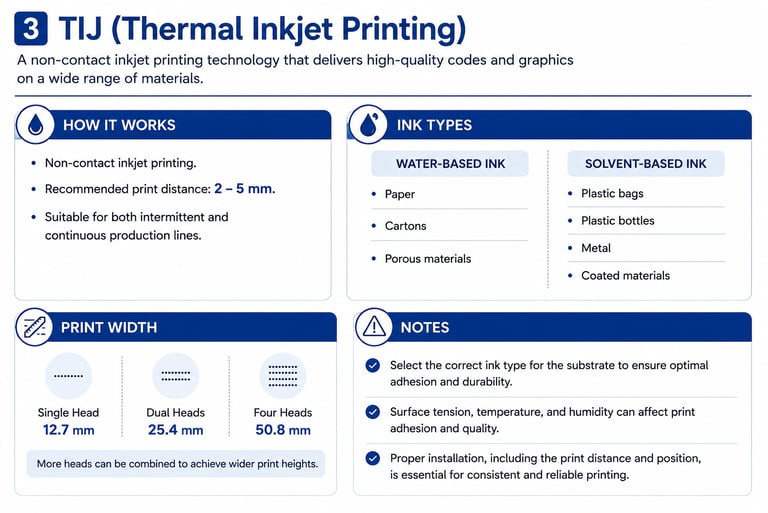
Section 3: TIJ (Thermal Inkjet Printing)
How It Works
Non-contact inkjet printing.
Recommended print distance: 2–5 mm.
Suitable for both intermittent and continuous production lines.
Ink Types
Water-Based Ink
Paper
Cartons
Porous materials
Solvent-Based Ink
Plastic bags
Plastic bottles
Metal
Coated materials
Print Width
Single Head: 12.7 mm
Dual Heads: 25.4 mm
Four Heads: 50.8 mm
Notes
Select the correct ink for the substrate.
Surface tension and ambient conditions affect adhesion.
Proper installation is essential for print quality and consistency.
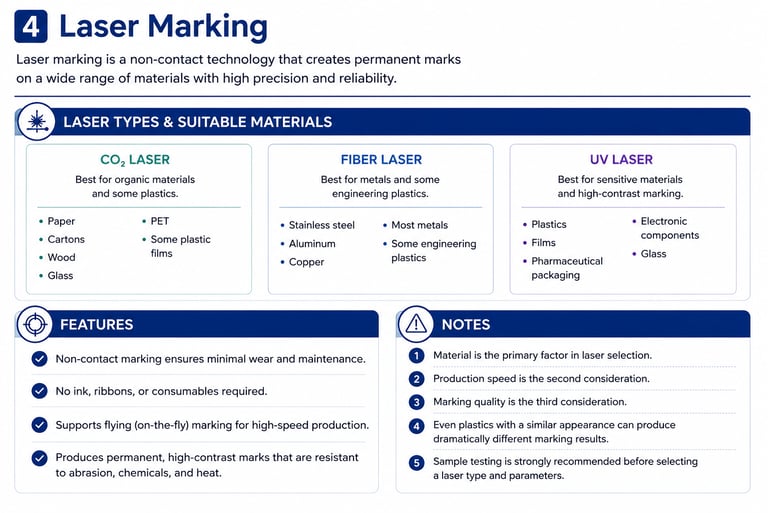
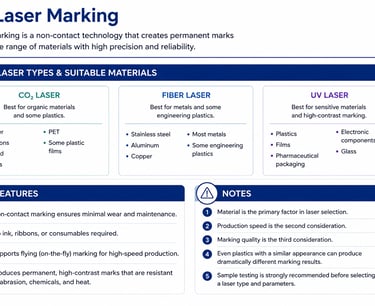
Section 4: Laser Marking
Laser Types
CO₂ Laser
Paper
Cartons
Wood
Glass
PET
Some plastic films
Fiber Laser
Stainless steel
Aluminum
Copper
Most metals
Some engineering plastics
UV Laser
Plastics
Films
Pharmaceutical packaging
Electronic components
Glass
Features
Non-contact marking.
No ink or ribbon required.
Supports flying (on-the-fly) marking.
Permanent, high-contrast marks.
Notes
Material is the primary factor in laser selection.
Production speed is the second consideration.
Marking quality is the third consideration.
Even plastics with a similar appearance can produce dramatically different marking results.
Sample testing is strongly recommended before selecting a laser model.
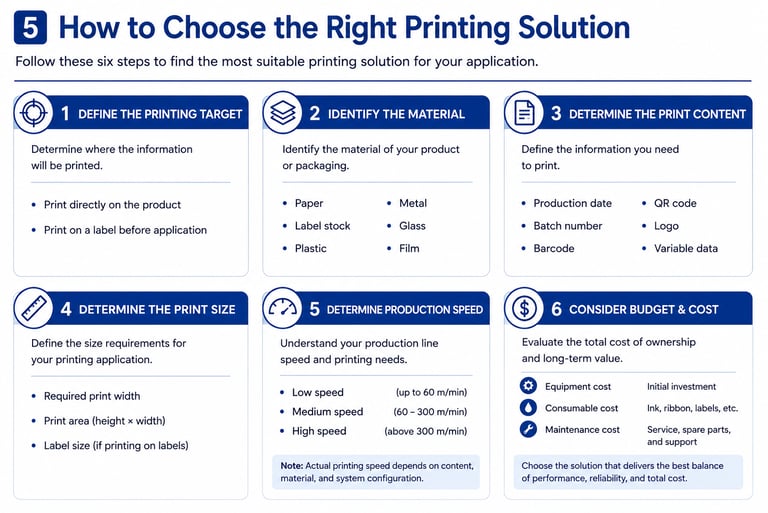
Section 5: How to Choose the Right Printing Solution
Step 1 – Define the Printing Target
Print directly on the product.
Print on a label before application.
Step 2 – Identify the Material
Paper
Label stock
Plastic
Metal
Glass
Film
Step 3 – Determine the Print Content
Production date
Batch number
Barcode
QR code
Logo
Variable data
Step 4 – Determine the Required Print Size
Print width
Print area
Label size
Step 5 – Determine Production Speed
Low speed
Medium speed
High speed
Step 6 – Consider Budget
Equipment cost
Consumable cost
Maintenance cost
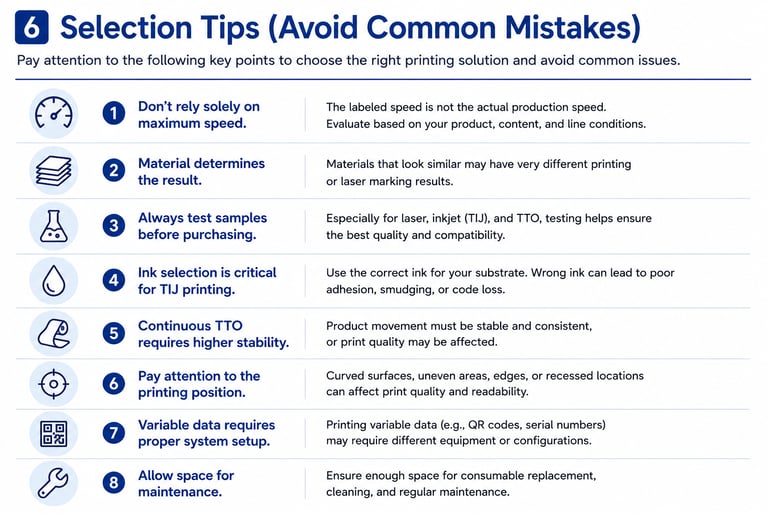
Section 6: Selection Tips (Avoid Common Mistakes)
Don't rely solely on the maximum speed specification. Actual production speed depends on the application.
Material determines the final result. Similar-looking materials may produce completely different print or laser marking quality.
Always test samples before purchasing.
Choosing the correct ink is critical for TIJ printing.
Continuous TTO requires stable product movement for consistent print quality.
Printing position matters. Curved, recessed, or uneven surfaces can affect results.
Variable data applications require different system configurations than fixed-content printing.
Leave enough space for maintenance and consumable replacement.
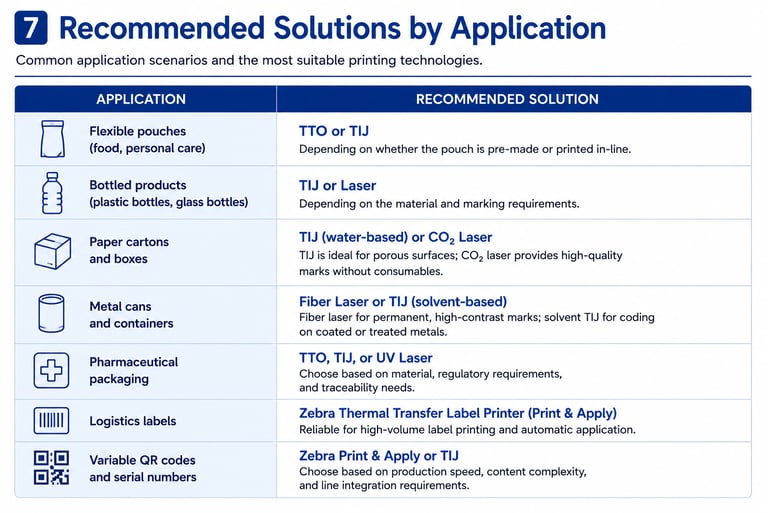
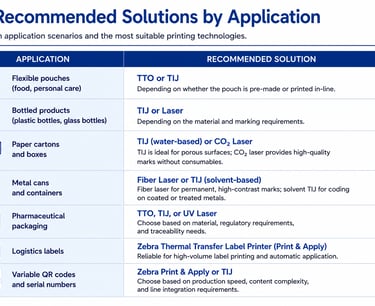
Section 7: Recommended Solutions by Application
Flexible pouches (food, personal care):TTO or TIJ (depending on whether the pouch is pre-made)
Plastic & glass bottles: TIJ or Laser (depending on material and marking requirements)
Paper cartons & boxes: TIJ (water-based) or CO₂ Laser
Metal cans & containers: Fiber Laser or TIJ (solvent-based)
Pharmaceutical packaging: TTO, TIJ, or UV Laser (depending on regulations and materials)
Logistics labels: Zebra Thermal Transfer Label Printer (Print & Apply)
Variable QR codes & serial numbers: Zebra Print & Apply or TIJ (depending on production speed)
Contact us to help you choose the right solution.
Let our engineers contact you:

Contact us



8613564099885
8613564099885
sales@okoauto.com
No.2, Lane 288, Qianfan Road,
Xinqiao Town, Songjiang District,
Shanghai, China